Archive , Software
TongueTickle: Read Anything Aloud
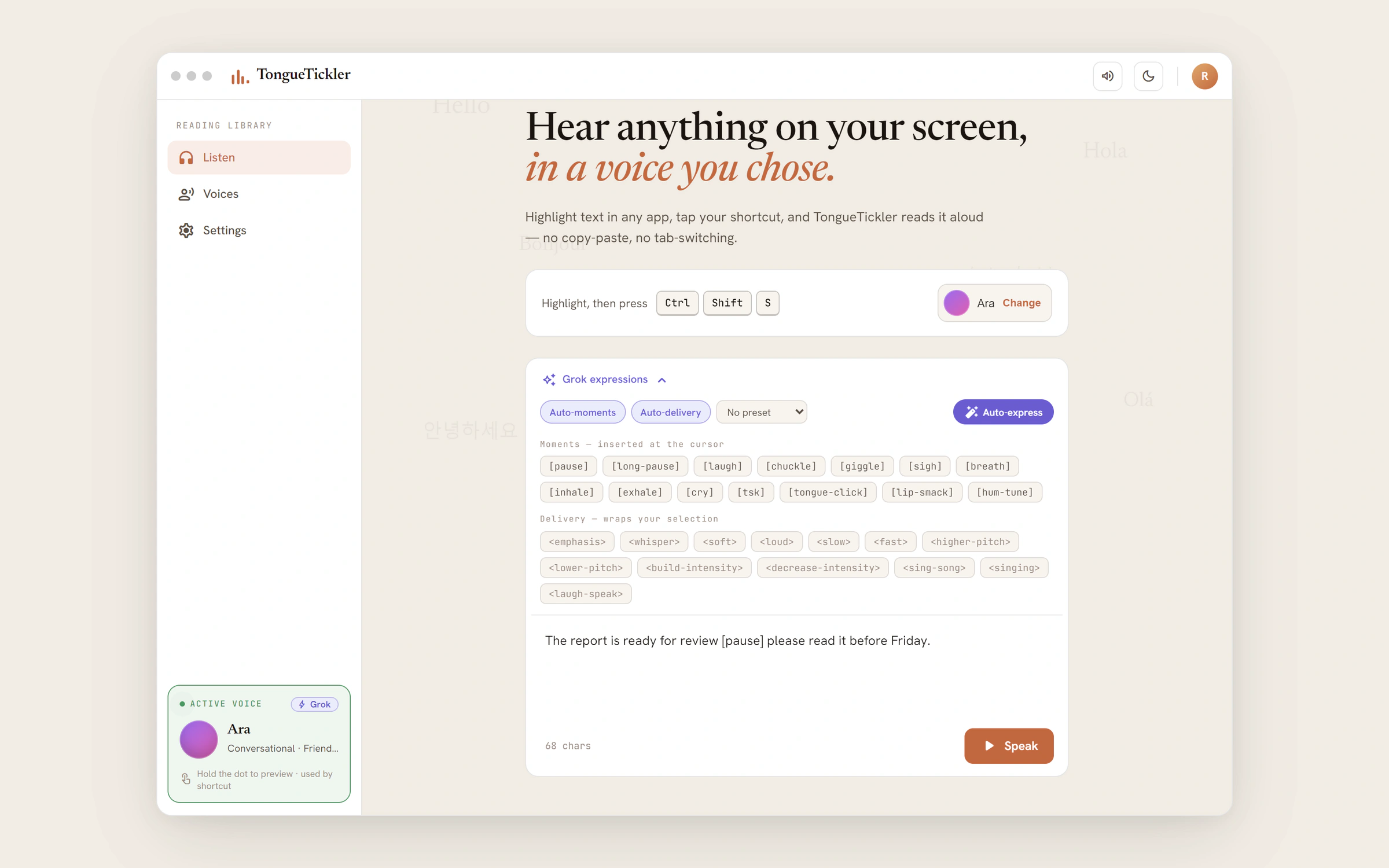
Highlight text in any Windows app, press a hotkey, and hear it read aloud. Needs no account: a free Windows voice is the fallback.
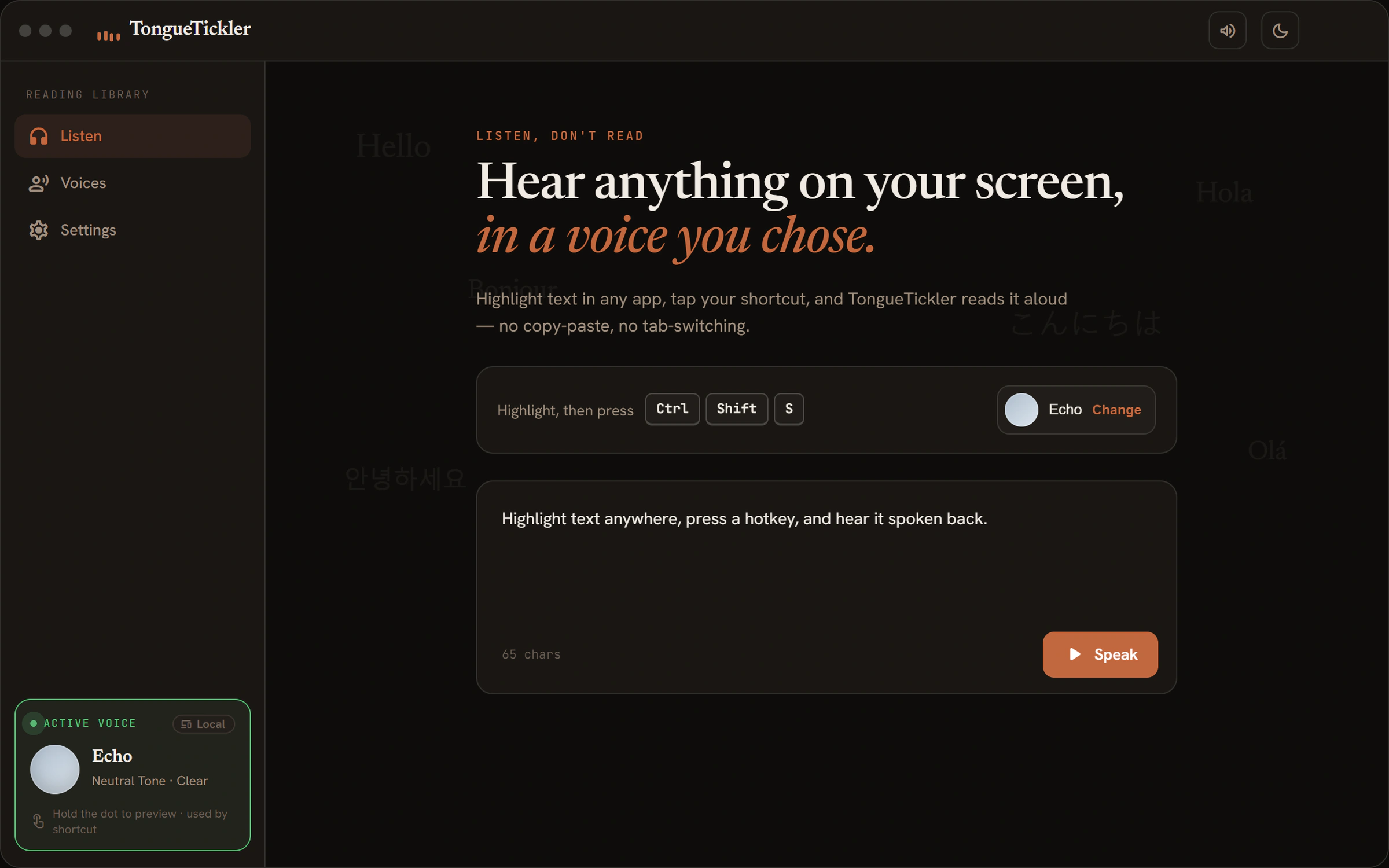
TL;DR
A Windows app that reads selected text aloud when you press a hotkey, in an AI voice you set up or a free Windows voice. Built with Claude Code; the AI voices are only tested against simulated replies, and there is no installer yet.
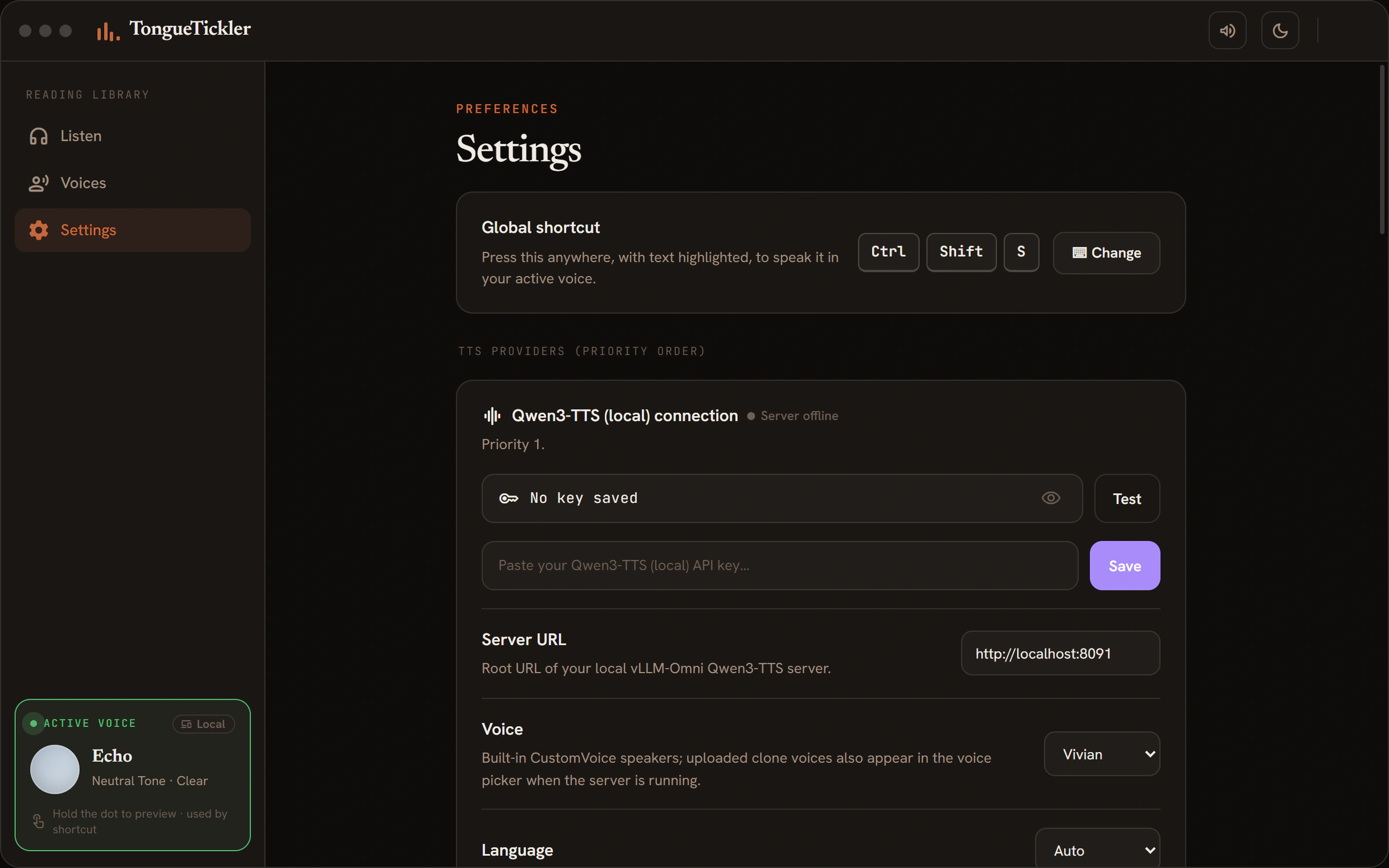
The hotkey is Ctrl+Shift+S. I’d rather listen to long docs than squint at them.
How it speaks
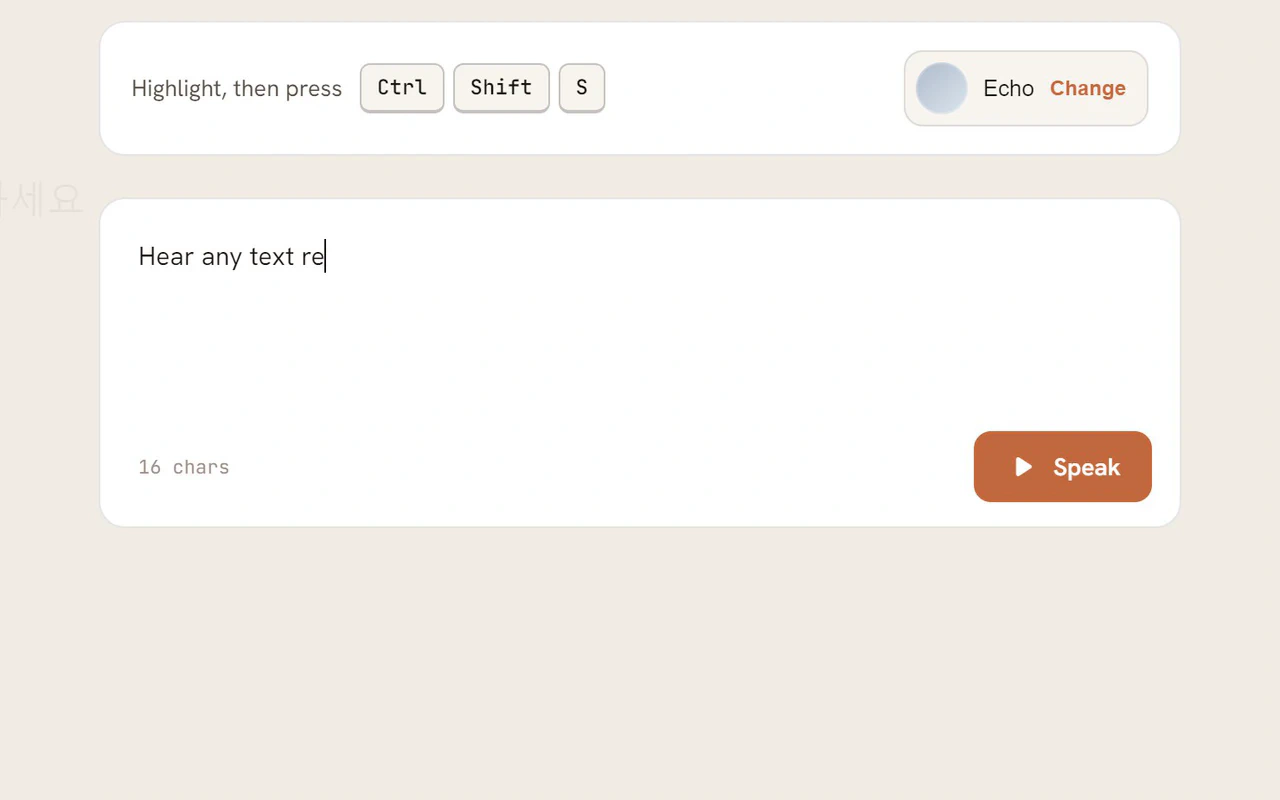
Paste text, press Speak
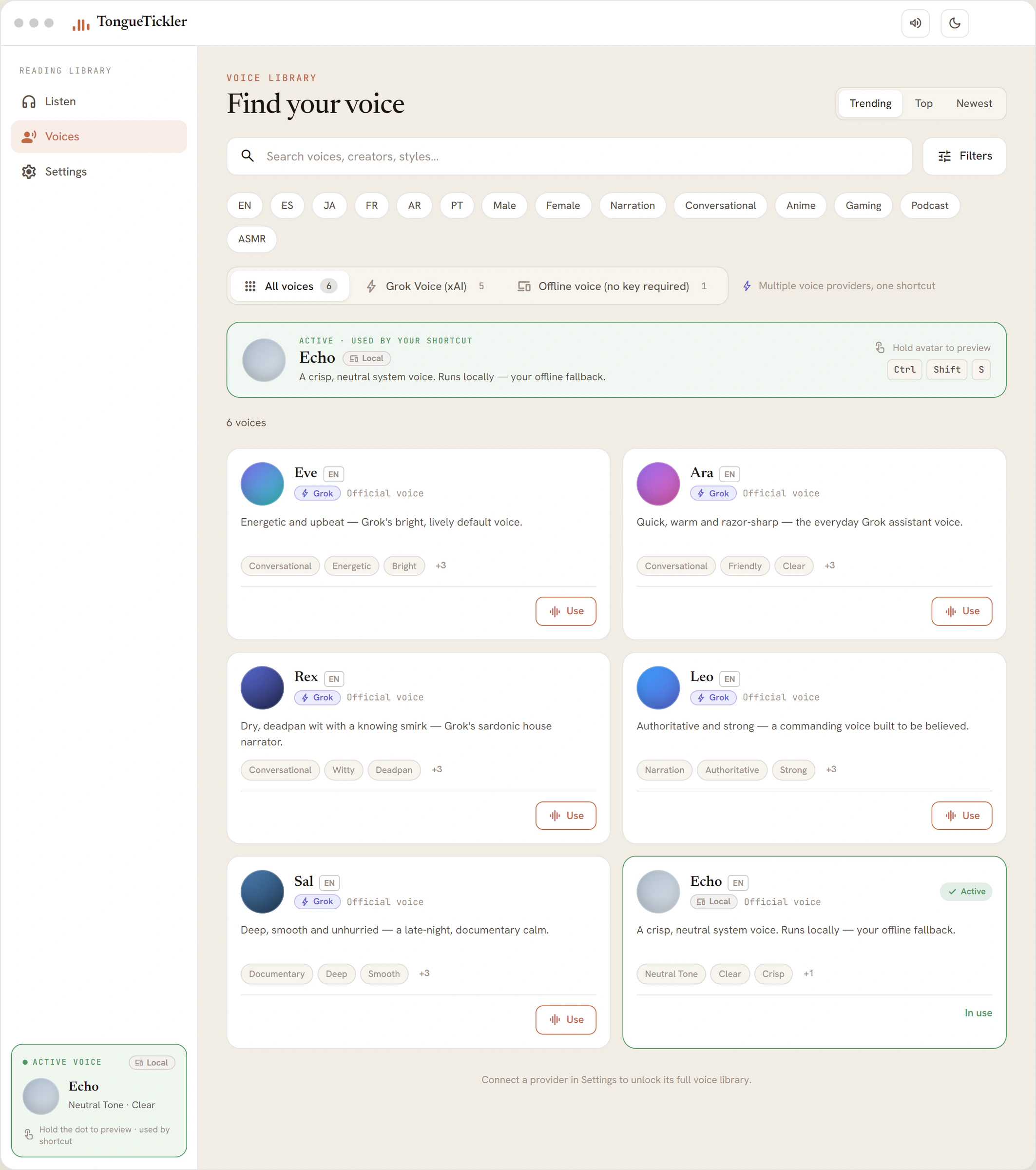
No hotkey needed. Paste text into the app and press Speak. Pick a voice from the library with one click; online voices need your key.
Free voice as a fallback
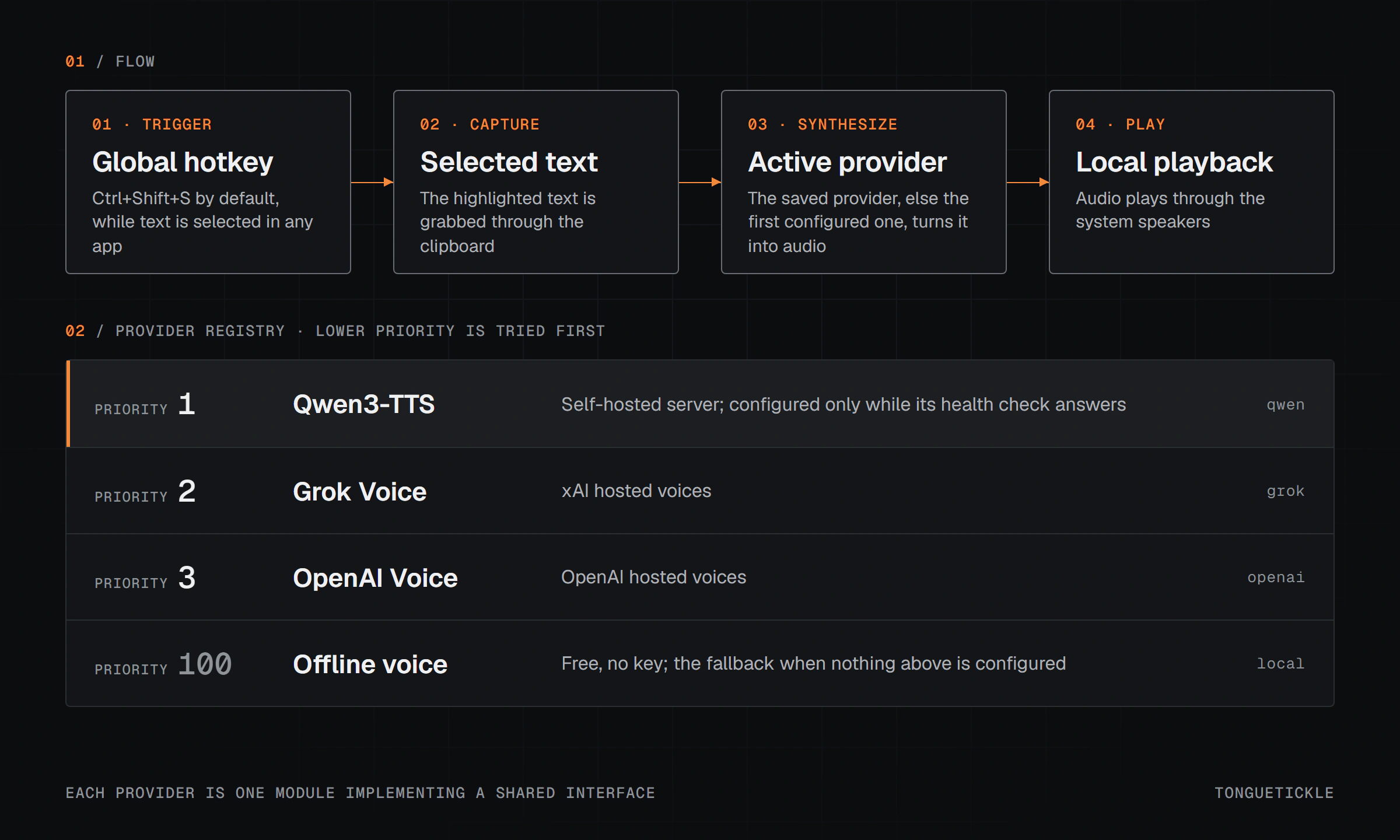
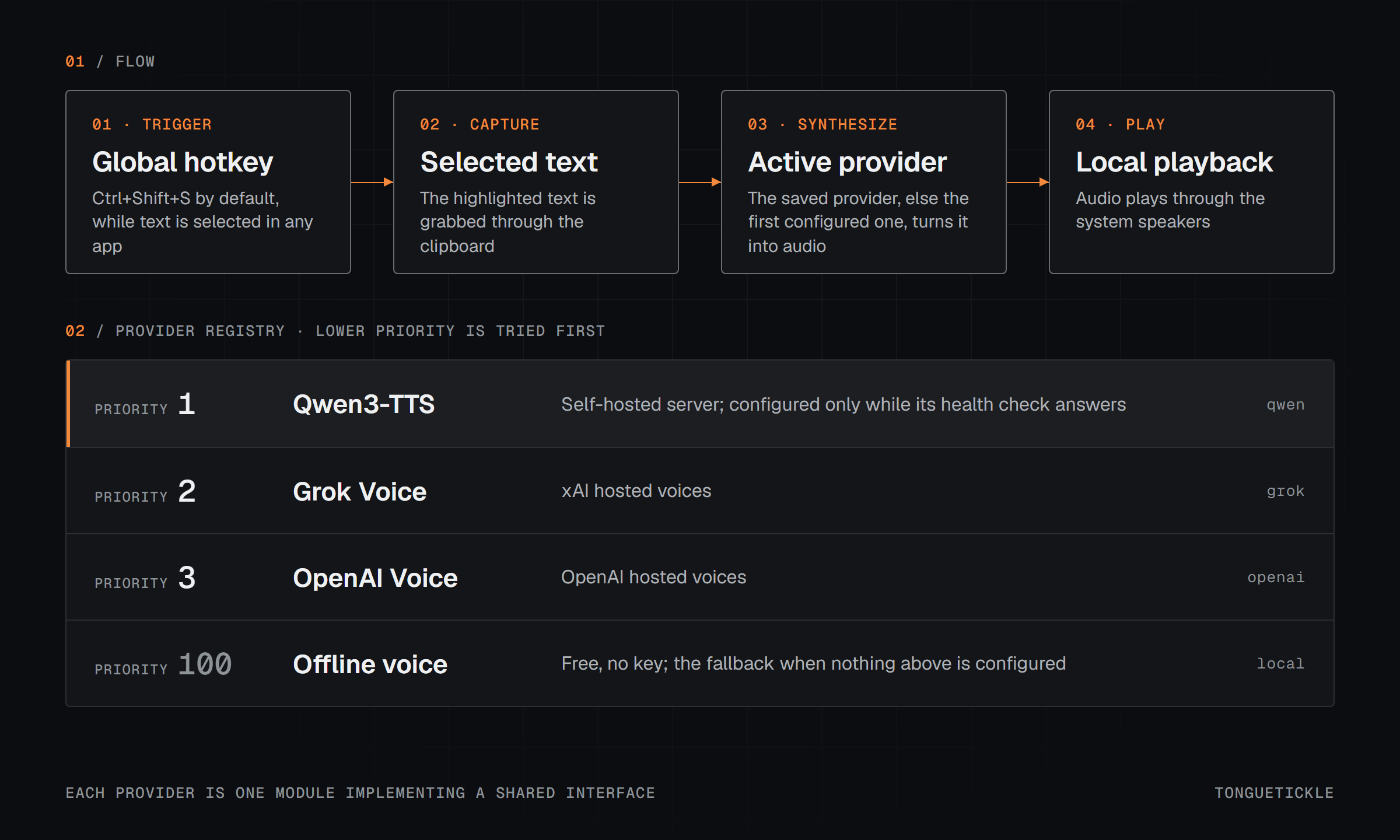
It starts with the voice you picked. If that isn’t set up, it tries a speech model you run yourself (Qwen3-TTS), then online voices from Grok and OpenAI. If none is ready, a free Windows voice takes over.
Add emotion automatically
In the app, pick a Grok voice and click once: an AI adds laughs, pauses and whispers to your text. You preview and edit before it speaks.

Where it stands
I tested it on my own machine. I decided what it does and which voices it tries first, and I built it with Claude Code.
The free offline voice works with no keys. I tried Grok against the real service in July. After a September rewrite, Qwen3-TTS, Grok and OpenAI are tested only against simulated replies, not live services. No installer yet.
Figures 02